India
India
 |











Coming with 2012 Sony cameras, PlayMemories Home is a PC software that makes it surprisingly easy to manage your photos and videos as well as search for images quickly. Explore new ways to enjoy photos and videos—on other devices and with other services.
The version of this software integrated in cameras is PlayMemories Home* Lite. An Internet connection is required to install extended features.

*Picture Motion Browser (PMB) users can upgrade to PlayMemories Home in spring 2012

Calendar view simplifies images management and playback
PlayMemories Home automatically organizes your photos and videos on a calendar by shooting date. Managing your photos and videos on a calendar makes it easy to find and view images quickly. Several convenient features streamline the process of finding and viewing images. For example, view a list of all images organized by folders or labels, or view thumbnails of video scenes at specific intervals.

Simply connect a camera to your computer to view the images directly
Photos and videos on Sony cameras can be viewed without transferring the files, simply by connecting the camera to a computer. Browsing images on external hard disks is so easy.



Share your memories online easily
Upload photos or videos to social media or online sharing services like Facebook, Youtube or Picasa to share them with your friends and family.
*Videos format available : MP4/VGA format.

Ready for calendar-based management and playback after 3D video importing

PlayMemories Home plays 3D video in 2D
Effortless archiving on Blu-ray or DVD*
Videos shot in 3D cannot be recorded directly to HD DVD at the same image quality. Instead, 3D material is converted to 2D before saving HD video to DVD. Similarly, one-touch Blu-ray recording is not available in PlayMemories Home. Blu-ray recording requires a compatible disc drive
Cut-editing of 3D video*
Cut-editing of your 3D videos is straightforward.

Easy YouTube uploading*
3D video can also be enjoyed in 2D on your PC by uploading it to YouTube for conversion.
Viewing in 3D requires anaglyphic glasses
*Requires installation of extended features, which requires an Internet connection

Import, manage, and play progressive video
In addition to interlaced format, PlayMemories Home also supports videos in progressive format. Clips are easy to manage in calendar view and can be played instantly.

Combine multiple clips into a single video file
It's a snap to merge multiple videos shown in PlayMemories Home into one video file.

*Requires installation of extended features, which requires an Internet connection.

Import images to your computer to create discs
Favorite photos or videos can be used to create an HD DVD. DVD authoring creates discs in AVCHD format, which can be played on a variety of devices including Blu-ray recorders and PlayStation 3 consoles.
Videos in 3D, PS, or FX mode cannot be recorded directly to DVD in HD at the same image quality. Instead, 3D material is converted to 2D and 60p progressive material to 60i format before saving HD video to DVD. Images in FX mode is converted by re-encoding it at a lower bit rate before HD DVD recording
Also save 60p/3D video to Blu-ray
In addition to 60i and 24p HD videos, 60p and 3D video can also be used when authoring Blu-ray discs.
Blu-ray recording requires a compatible disc drive.
One-touch Blu-ray recording is not available in PlayMemories Home.
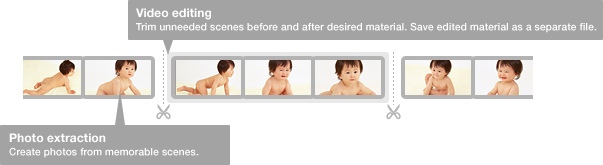
Cut-editing of videos, extraction of photos
Besides convenient video editing, photos can easily be captured from videos.

Turn photos and videos into photomaps
View geotagged photos and videos shot with GPS-compatible Sony cameras on a map.
*Requires installation of extended features, which requires an Internet connection.

PlayMemories Home for VAIO offers the powerful image retouching on VAIO computers, disc authoring with menus, and production of short movies, to help make your videos even more memorable.